Odoo Online Live Class by Experts
Our Training/Internship Process

Odoo - Syllabus, Fees & Duration
Section 1 : Introduction
- Introduction
- History of ODOO
Section 2 : Technical Fundamentals of ODOO Addons
- Addon's module structure and manifest file usage.
- Writing your first module.
- The first module writes the relation field with fields, views, function, and menu.
- Widgets and controls in UI
- Domain - dynamic UI bivivisions with structure, modules, ATTRS and Onchange.
- Views, view attribute, diagram view, graph view, calendar view.
- Model and class-level attributes
- Creating a base module
- Fields parameters.
- Complex fields.
- Design the Kanban views
- Introduction to constraints, SQL constraints, automatic reserve fields .
Section 3 : Inheritance
- Modifying Existing Models, Inheritance
Section 4 : ORM Models
- Traditional ORM methods
- Advanced ORM methods
- A procedure from the GUI is followed by a method of follow-up
- API decorations in ODOO, the difference between the previous version and the odoo calls
- The most used API decorations
- Relational Field Operations with the API
- Review of commonly used ORM modes
- PMS editing and expression
Section 5 : Different types of Button and overview of linked views
- Various types of buttons and linked views
- Creates demonstration data and sequence
- Creating wizards
Section 6 : Web Services
- Web services
- Payment Gateway Integration Guide
- ODOO Server Parameters and Configuration
Section 7 : Odoo Security
- Security at Odoo from UI
- Security in ODOO using Module
This syllabus is not final and can be customized as per needs/updates
- Since 2001, Making IT Experts by Experts
- Duration: 60 Hours (Vary as per your skill)
- Course Fees
- Individual Live Classes (1:1)
- Batch Classes @ Low Fees
- Training on Your Time, Any Where
- Access to Recorded Videos
- Practical Internship on Projects
- 100% Placement Support by our jobsNEAR.in
- Training/Internship Certificate
- Agra
- Ahmedabad
- Alappuzha
- Aurangabad
- Bangalore
- Belgaum
- Bellary
- Bhubaneswar
- Chennai
- Cochin
- Coimbatore
- Delhi
- Dindigul
- Erode
- Gulbarga
- Guntur
- Gurgaon
- Haryana
- Hyderabad
- Idukki
- Indore
- Jaipur
- Kalyan
- Kannur
- Kanpur
- Kasaragod
- Kerala
- Kolkata
- Kollam
- Kottayam
- Kozhikode
- Lucknow
- Madurai
- Malappuram
- Mangaluru
- Mumbai
- Mysuru
- Nagpur
- Nashik
- Navi Mumbai
- Nizamabad
- Noida
- Palakkad
- Pathanamthitta
- Pune
- Punjab
- Salem
- Shimla
- Solapur
- Surat
- Thane
- Thanjavur
- Thirunelveli
- Thoothukudi
- Thrissur
- Tiruchirappalli
- Tiruppur
- Trivandrum
- Vadodara
- Varanasi
- Vellore
- Vijayawada
- Visakhapatnam
- Wayanad
Course Highlights

Our Locations

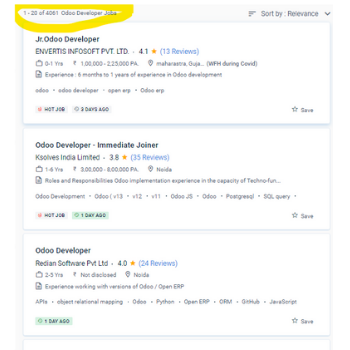
 Odoo training will enable your organization to implement new strategies. Functional training will aid you in learning basic concepts, day-to-day Odoo tasks, and typical module installation. We are making the effort to provide official Odoo training to anyone so that you can have the most significant functional and technical understanding of Odoo frameworks and modules. Those seeking technical changes should contact Odoo technical trainers; this will be the appropriate option. Odoo is a free and open-source community version of a modular system. Considering the fast technology development, if you're thinking of hiring a trainer, instructor, organizer, or whatever else to increase your current knowledge level or give training for your firm, I strongly advise you to do your work. Technical training is for new developers and IT professionals interested in learning more about development concepts and architecture in order to create new Odoo modules. We will provide you with the essential guide to help you pass your Odoo training certification. We have a long history of delivering technical skills in a variety of IT languages.
.
Odoo training will enable your organization to implement new strategies. Functional training will aid you in learning basic concepts, day-to-day Odoo tasks, and typical module installation. We are making the effort to provide official Odoo training to anyone so that you can have the most significant functional and technical understanding of Odoo frameworks and modules. Those seeking technical changes should contact Odoo technical trainers; this will be the appropriate option. Odoo is a free and open-source community version of a modular system. Considering the fast technology development, if you're thinking of hiring a trainer, instructor, organizer, or whatever else to increase your current knowledge level or give training for your firm, I strongly advise you to do your work. Technical training is for new developers and IT professionals interested in learning more about development concepts and architecture in order to create new Odoo modules. We will provide you with the essential guide to help you pass your Odoo training certification. We have a long history of delivering technical skills in a variety of IT languages.
.